

An offline recipe app that works without Wi-Fi
Kitchens are often the worst room for Wi-Fi, and nobody wants a recipe page to reload while their hands are covered in flour. A recipe app that keeps everything on the tablet avoids that. Here is how it works in Recipe Box.
What works offline
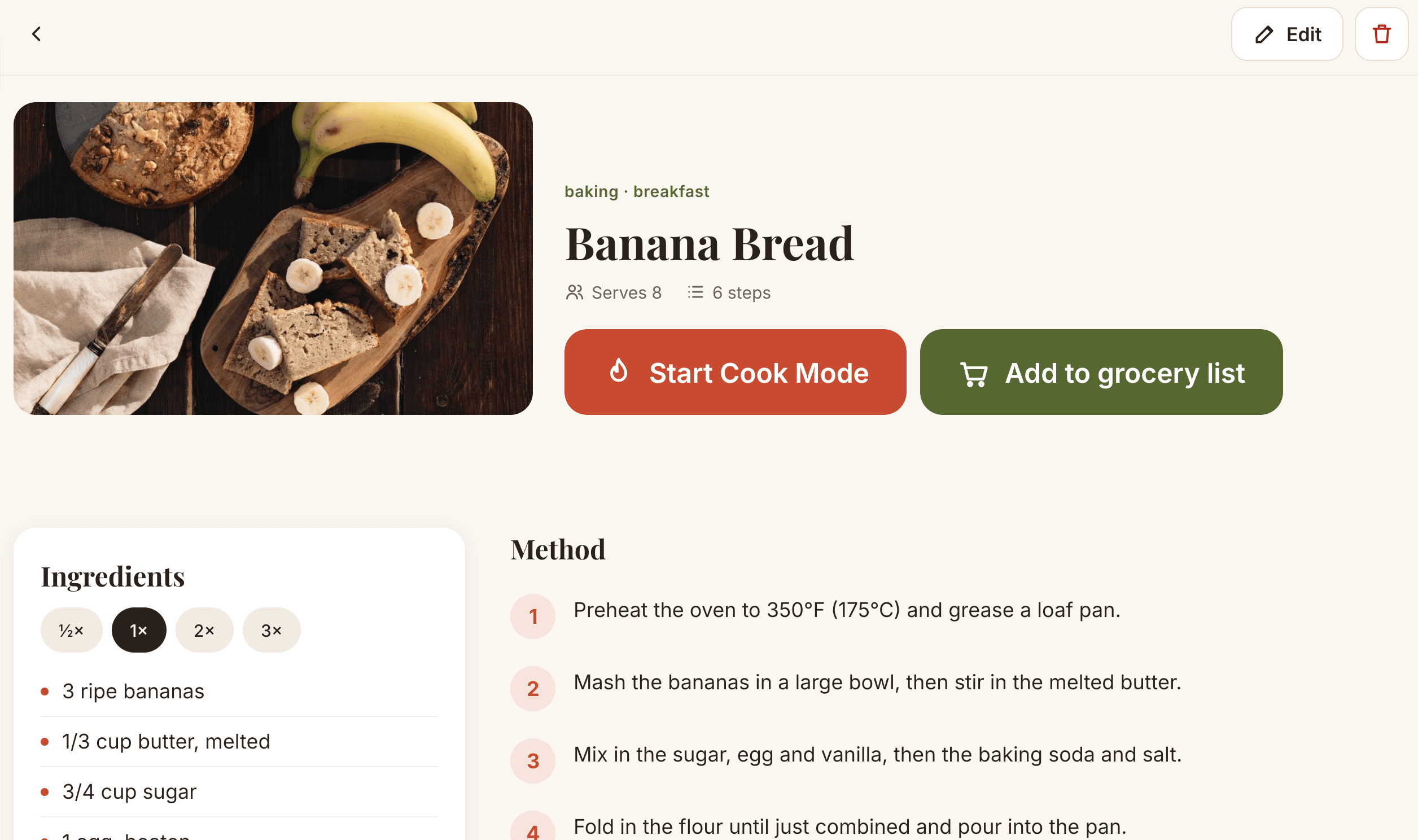
- Browsing and searching your saved recipes by name, ingredient or tag.
- Cook Mode, with one large step at a time and the screen kept on.
- Timers, which keep running and ring even if you switch apps.
- Scaling ingredients to half, double or triple.
- The grocery list.
- Your own recipe photos.
What needs a connection
Only one thing: importing a recipe from a website. Do that on home Wi-Fi, and the recipe is on your tablet from then on.
Privacy comes with it
Because recipes stay on the device, there is no account to create, no cloud service and no analytics. See the privacy policy for details.
Back up your recipes
The trade-off of keeping everything on the tablet is that a reset or a lost device takes the recipes with it. In the app, choose Save backup to write every recipe to a single file, keep a copy somewhere safe, and use Restore on the same or a new tablet.
Questions
Does Recipe Box work without internet?
Yes. Saved recipes, photos, Cook Mode, timers and the grocery list all work offline. Only importing a recipe from a website needs a connection.
Where are my recipes stored?
On your tablet. There is no account and nothing is sent to a server, so the recipes are not available on other devices unless you move a backup file.
What happens if I reset my tablet?
Local data is removed along with the app. Use Save backup in Recipe Box to write all recipes to a file, keep it somewhere safe, then restore it on the same or another tablet.
Get Recipe Box on the Amazon AppstoreFree for 20 recipes, then one purchase to unlock unlimited recipes. No ads, no account.