

The best recipe app for a Fire tablet
A Fire tablet is a good kitchen screen: it is cheap, light and easy to prop up. The right app turns it into a recipe book. Here is what to check before you install one. We make Recipe Box, so read our pick with that in mind, and use the checklist to judge any app.
A checklist for a Fire tablet recipe app
- It is in the Amazon Appstore. Fire tablets do not include Google Play, so the app has to be listed in the Appstore.
- It saves a recipe, not a web page. Importing the title, ingredients, steps and photo means you can read it later without the ads and pop-ups.
- It is readable from across the counter. Look for large text and one step at a time.
- The screen stays on while you cook. And goes back to sleep afterwards.
- Timers that survive switching apps. A timer that stops when you leave the screen is not much use.
- It works offline. Kitchen Wi-Fi is often weak.
- The price is clear. Check for ads, accounts and subscriptions before you commit your recipes to an app.
Your options
- Browser bookmarks in Silk. Free and instant. But pages fill with ads, links break, and you need a connection.
- A notes app. Free, and it works offline. You have to type or paste every recipe yourself, and there is no timer or grocery list.
- A recipe app from the Appstore. Compare the checklist above, and read the reviews for ads, sign-in requirements and subscriptions.
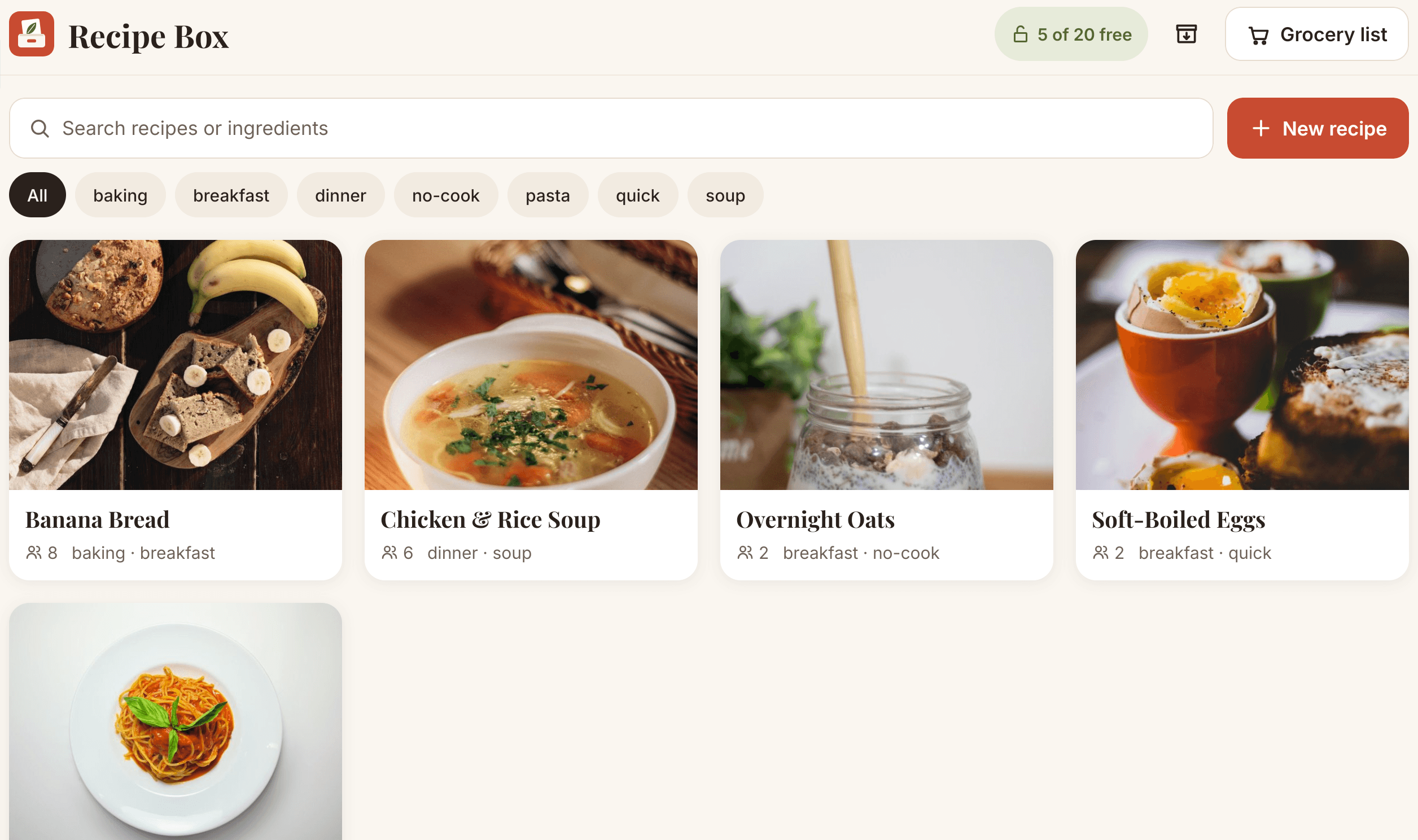
- Recipe Box. Built for Fire tablets: paste a link to import a recipe, Cook Mode shows one large step at a time with the screen kept on, timers appear when a step mentions a time, and a recipe can be added to a grocery list in one tap. It works offline, with no ads and no account.
What Recipe Box does not do
Some websites do not publish their recipe in a standard format, so a link import will not work for every site. You can type a recipe in by hand instead. Recipe Box is made for Fire tablets and stores recipes on the device, so use Save backup now and then, especially before you reset or replace a tablet.
Questions
Is there a free recipe app for a Fire tablet?
Yes. Recipe Box is free for up to 20 recipes, then a single one-time purchase removes the limit. A browser bookmark folder or a notes app is also free, but neither imports recipes or has a cooking view.
Can I use Google Play recipe apps on a Fire tablet?
Not by default. Fire tablets use the Amazon Appstore, so choose an app that is listed there.
Does a recipe app need Wi-Fi?
It does not have to. Recipe Box stores recipes on the tablet and only needs a connection when you import a recipe from a website.
Get Recipe Box on the Amazon AppstoreFree for 20 recipes, then one purchase to unlock unlimited recipes. No ads, no account.