


Still-Lane
See where your computer time goes, protect deep focus, and set gentle daily limits without corporate tracking.
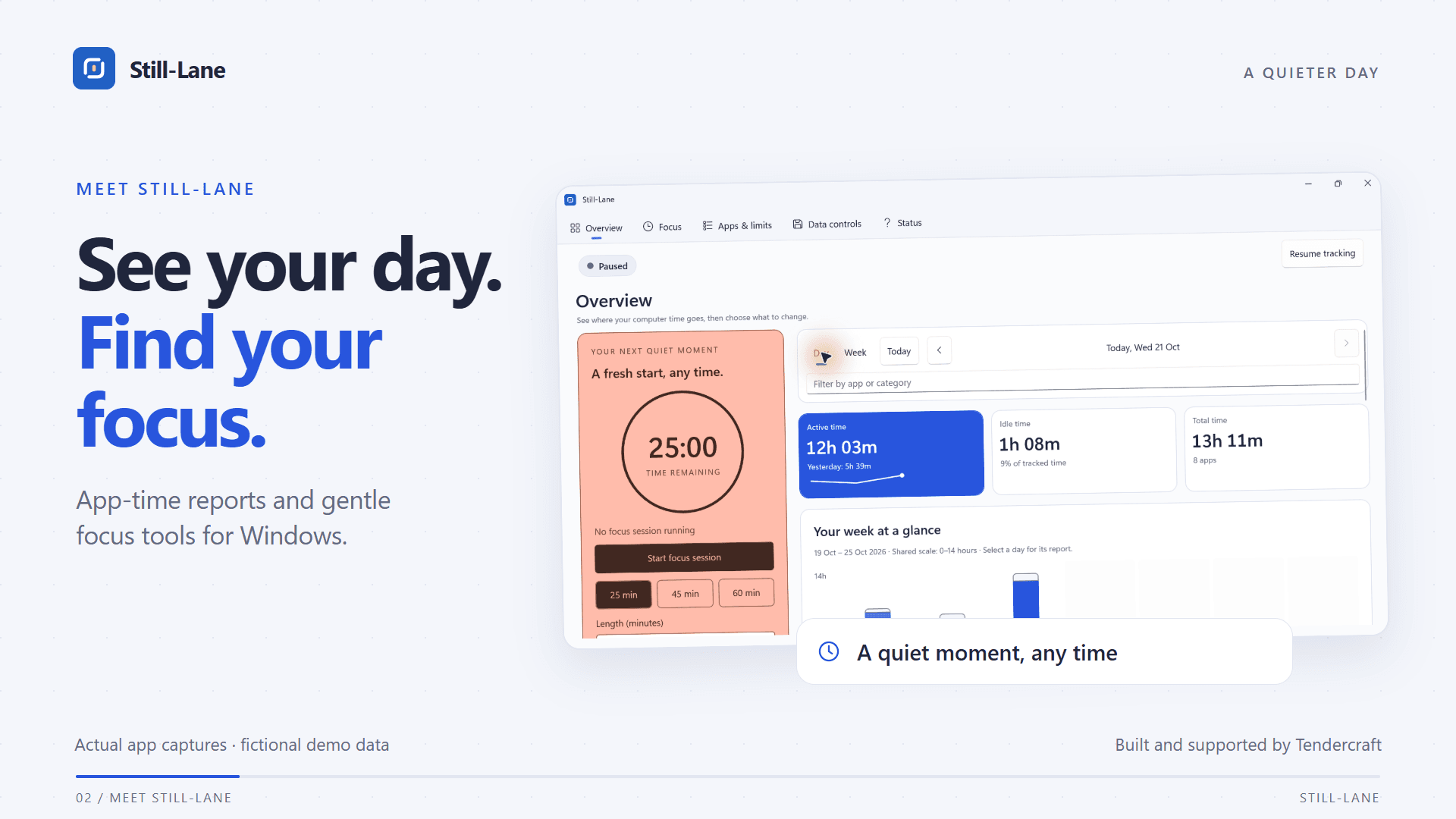
Daily active timeline, application category summaries, and customizable overridable budget controls.
Watch Still-Lane in Action
See 100% local SQLite screen time tracking, daily timeline insights, and gentle overridable budgets.
Why Gentle Self-Management Beats Surveillance
The Surveillance Tracker Problem
Mainstream screen time trackers either upload your full application activity to remote cloud servers, or employ aggressive blockers that abruptly kill your programs and risk losing unsaved documents. You are treated like an employee under surveillance or a child in detention.
The Still-Lane Philosophy
Still-Lane respects you as an autonomous professional. Tracking is 100% local in SQLite, limits are clear reminders that you can intentionally snooze or override, and deep focus sessions protect your attention without punitive drama.
Designed for Clarity and Digital Health
Automatic Local Tracking
Tracks active application focus accurately in the background. Automatically filters idle away-time so reports reflect genuine work.
Gentle Overridable Budgets
Set sensible daily time limits per app or category. When time is up, choose an extra 5 minutes or allow the app for today without losing work.
Deep Work Focus Intervals
Start dedicated focus blocks to protect attention on priority tasks. Distracting apps prompt for quick confirmation before opening.
Water & Rest Reminders
Gentle hydration and posture check-ins with an optional daily glass counter to protect physical wellbeing during long desk sessions.
100% Local SQLite Storage
No cloud accounts, no sync servers, no employee tracking. All databases remain in your local AppData directory under your complete control.
Open Export & Data Erasure
Export entire usage histories to CSV or JSON formats. Exclude sensitive applications anytime, which immediately erases their stored records.
Still-Lane vs. Common Time Trackers
Compare Still-Lane with RescueTime, ManicTime, Cold Turkey, and ActivityWatch.
| Capability | Still-Lane | RescueTime | ManicTime | Cold Turkey | ActivityWatch |
|---|---|---|---|---|---|
| 100% Local SQLite Storage (Zero Cloud) | Partial | ||||
| Personal Computer Activity Sent to Remote Servers | |||||
| No Account or Registration Required | |||||
| Gentle, Overridable Limits (Never Force-Closes Apps) | |||||
| Integrated Deep Work Focus Intervals | |||||
| Annual / Lifetime Price | 15-day trial · $14.99 once | $78.00 / year | $67.00+ / license | $39.00 once | Free (Donation) |
| Smart Inactivity / Step-Away Detection | |||||
| Export Your History to CSV or JSON |
Frequently Asked Questions
Does Still-Lane send my computer usage or active window names to any server?
Never. All usage metrics and focus logs are stored strictly inside a local SQLite database in your personal Windows AppData folder. Still-Lane has zero telemetry, no cloud servers, no account registration, and zero surveillance capability.
Will Still-Lane forcefully kill my applications or risk unsaved work?
No. Still-Lane is designed for adult self-regulation and respectful boundaries. When a daily app budget is reached, it displays an intentional reminder screen that you can comfortably snooze or override without ever terminating processes or losing work.
How does Still-Lane detect when I am away from my desk?
Still-Lane monitors Windows system input inactivity. When no mouse movements or keystrokes occur for a configurable period, tracking pauses automatically so your daily reports reflect actual active computer time.
What is the pricing model?
Still-Lane includes a full-featured 15-day free trial directly through the Microsoft Store. After the trial, a single one-time payment of $14.99 grants permanent lifetime access with no monthly fees or subscriptions.
Can I export or delete my usage data anytime?
Yes. You can export your complete history to open CSV or JSON formats at any time. You can also exclude individual apps (which purges their entire history) or clear your entire database with one click.
Related Guides & In-Depth Walkthroughs
How to Track Windows Screen Time Without Cloud Surveillance →Native Windows desktop utility with local SQLite persistence. Requires no administrator elevation to run.
Take Back Control of Your Computer Time
Start your 15-day free trial on the Microsoft Store. Zero cloud lock-in, zero subscriptions, and complete peace of mind.