

Turn recipes into a grocery list on a Fire tablet
Copying ingredients into a shopping list by hand is the boring part of cooking. With Recipe Box you can add a whole recipe to a list in one tap, and carry the same tablet round the store.
1. Pick the amount
Open a recipe and choose half, normal, double or triple. The ingredient amounts update on screen.
2. Add it to the grocery list
Tap Add to grocery list. The scaled ingredient lines are added, and the app tells you how many were new. Do this for every recipe you plan to cook this week.
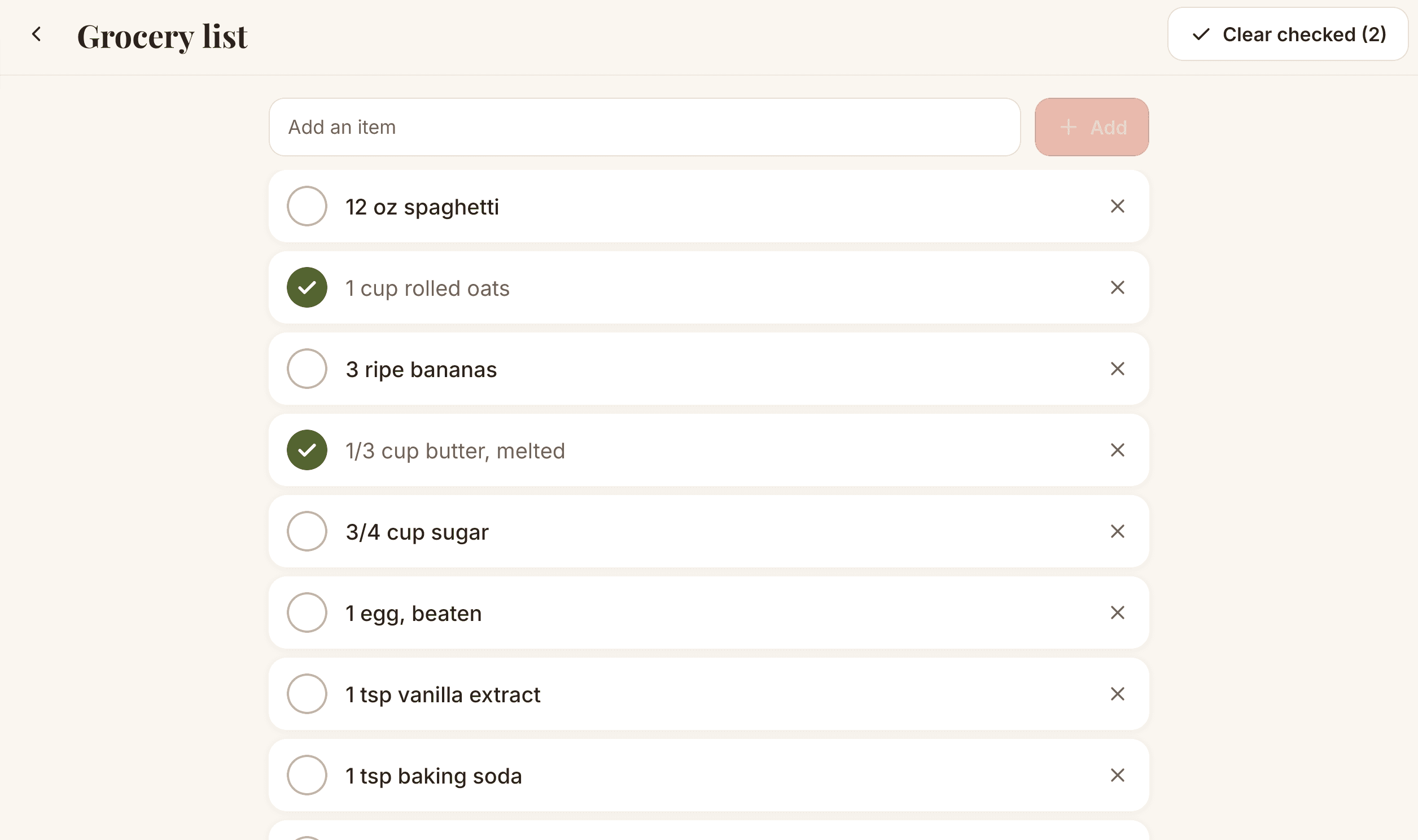
3. Check items off while you shop
Tap an item to check it off. The list works offline, so a weak signal in the store does not matter. When you are done, tap Clear checked to remove the ticked items and keep the rest.
Tip: tidy the list before you go
Amounts are not added together. If two recipes both need onions, you will see two lines, so a quick glance before you leave helps you buy the right quantity.
Questions
Does the grocery list use the scaled amounts?
Yes. If you set a recipe to half, double or triple before adding it, the scaled ingredient lines are what go on the list.
What if an ingredient is already on my list?
Recipe Box skips an item when the same line is already on the list and not yet checked, and tells you how many items were added. Different wording or amounts are added as separate lines.
Can I add things that are not in a recipe?
Yes. Type any item into the grocery list and add it.
Get Recipe Box on the Amazon AppstoreFree for 20 recipes, then one purchase to unlock unlimited recipes. No ads, no account.