

How to Listen to EPUB & PDF Books Offline on Windows
Most audiobook and text-to-speech services charge $10 to $15 every month and transmit all your personal documents to remote cloud servers. Here is how to listen to your existing digital book library completely offline using local neural speech.
The Problem with Cloud Text-to-Speech Services
Mainstream reading applications like Speechify and NaturalReader rely entirely on cloud-hosted API pipelines. When you import an EPUB, PDF, or work report, the entire text is sent over the internet to their servers. This introduces three major drawbacks:
- Recurring Subscription Fatigue: Paying $120 to $150 per year just to hear digital text read aloud.
- Zero Air-Gapped Privacy: Sensitive work contracts, confidential manuscripts, and personal reading habits are logged on remote infrastructure.
- Strict Internet Requirement: During airplane travel, train commutes, or unstable WiFi sessions, cloud readers fail or refuse to buffer.
The Solution: On-Device Neural Synthesis
Recent advances in lightweight neural speech synthesis (such as Piper AI) allow modern PCs to generate realistic, natural English voices with human-like prosody using just ordinary CPU processing power.
By bundling optimized ONNX voice models directly inside the application installer, Vox Reader performs all phoneme processing and audio rendering entirely on your PC.
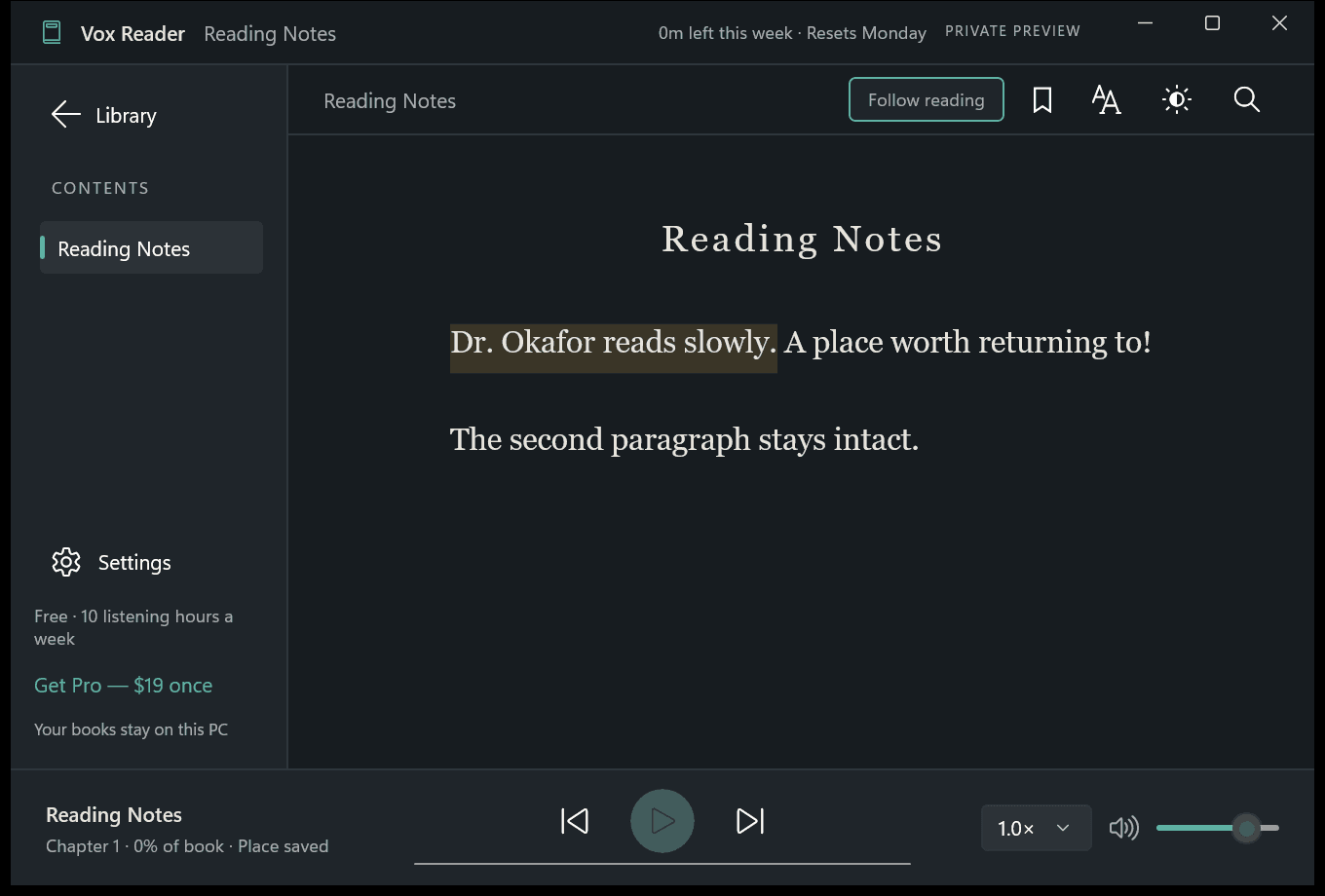
Vox Reader illuminated reading canvas: sentences highlight in real time as local neural voices speak.
Step-by-Step: Listening to Books with Vox Reader
- Install Vox Reader: Download the app directly from the Microsoft Store or via command line using
winget install 9PCVQB5H684W. - Import Your DRM-Free EPUB or TXT: Drag and drop any .epub or .txt file directly into the Vox Reader library window.
- Select a Neural Voice: Choose your preferred English voice profile (US or UK accents) and set your preferred playback rate (0.5× to 3.0×).
- Press Play: Listen aloud as the current sentence illuminates on-screen in real time. Your progress, chapters, and bookmarks are automatically saved to your local drive.
Honest Pricing: Free Allowance & Lifetime Unlock
Vox Reader comes with a permanent free tier that includes 3 hours of listening every week (resetting every Monday morning). For users who want unlimited listening and PDF/Word document imports, a single one-time payment of $18.99 permanently unlocks Pro with zero ongoing subscriptions.