

A picture-routine app by Tendercraft
Visual Schedule Board: a picture routine app for kids on Fire tablets
Visual Schedule Board is an offline picture-routine app for Amazon Fire tablets. Parents and teachers build step-by-step visual schedules, such as a morning or bedtime routine, from 74 built-in pictures or their own photos, and children follow them one step at a time.
Free to start. One-time unlock, no subscription. No ads, no accounts.
What is a visual schedule?
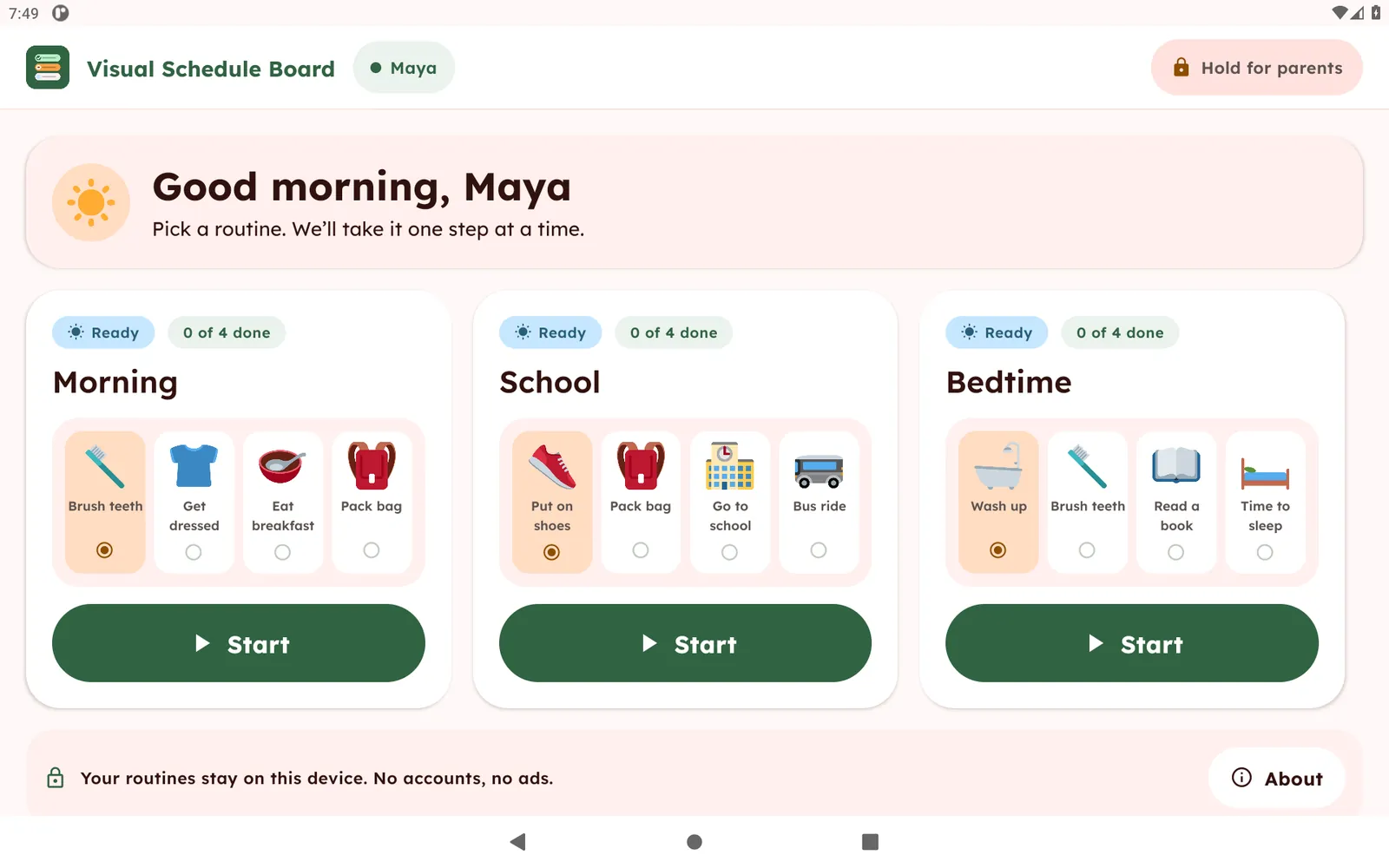
A visual schedule shows the steps of a routine as pictures in order, so a child can see what happens now and what comes next instead of hearing a list of instructions. Families and classrooms use them for mornings, school days, bedtime and transitions. Visual Schedule Board puts that on a tablet.
What you can do with it
Build routines from pictures
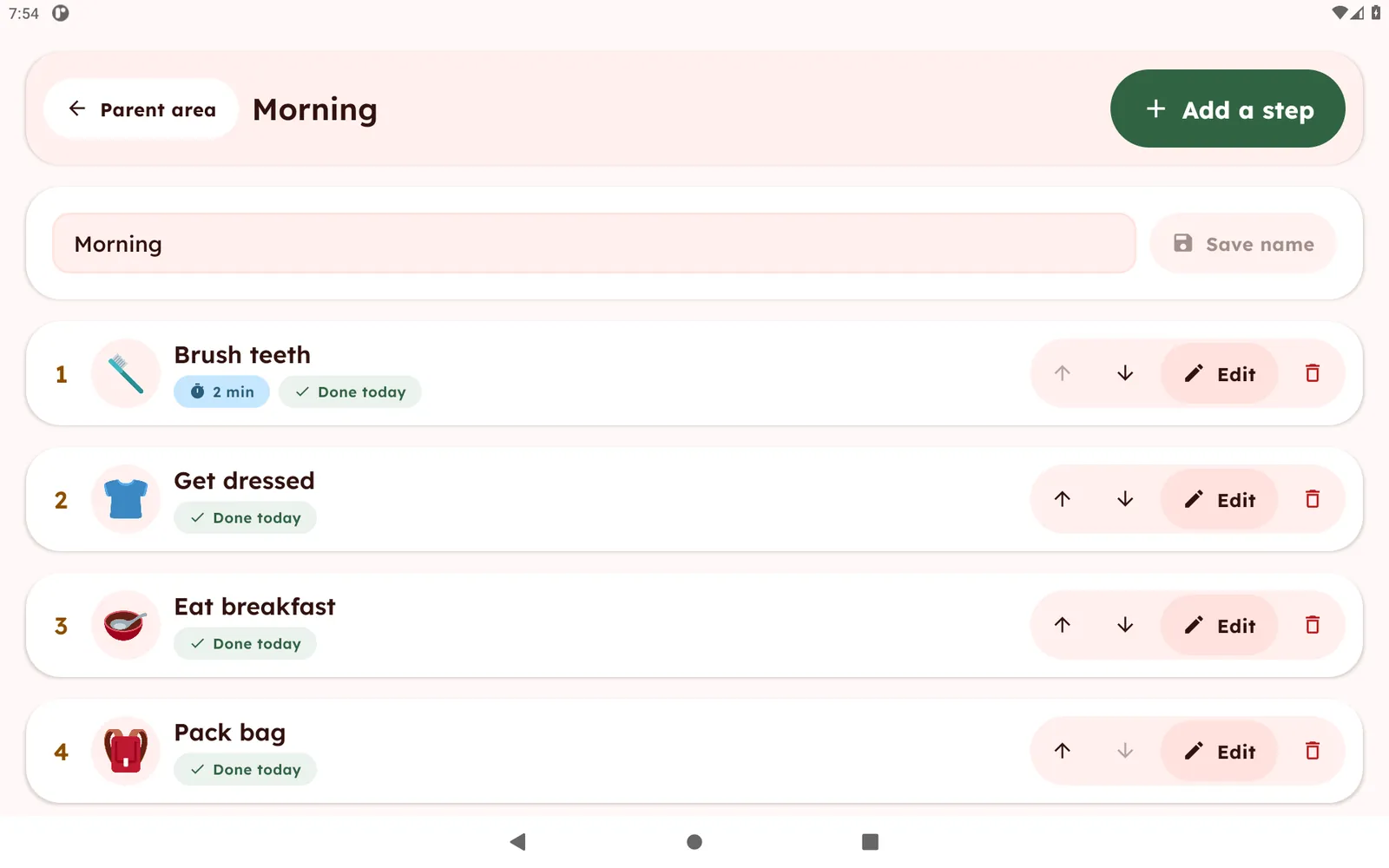
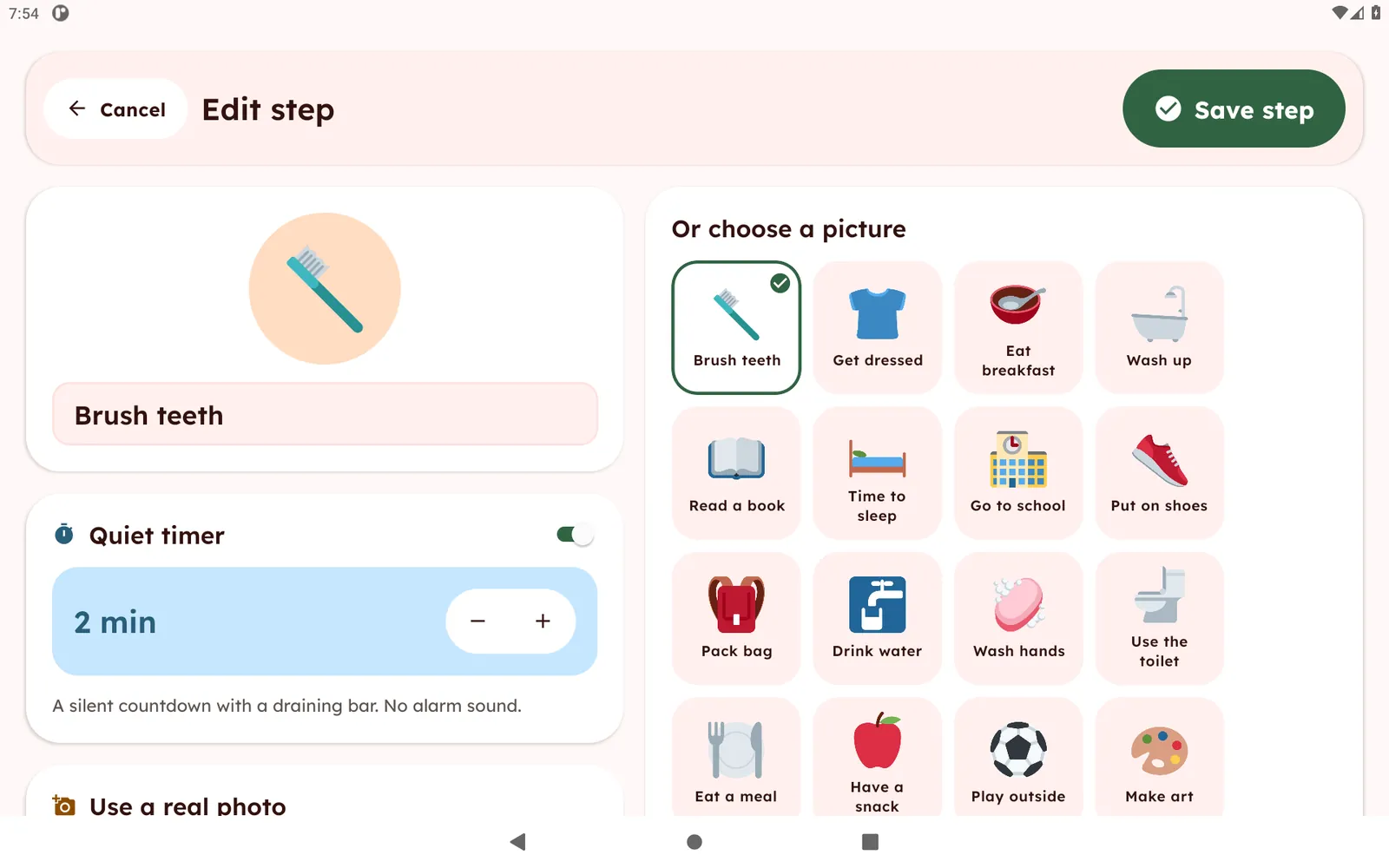
Choose from 74 built-in pictures or take a photo. Name each step and put the steps in order.
One calm step at a time
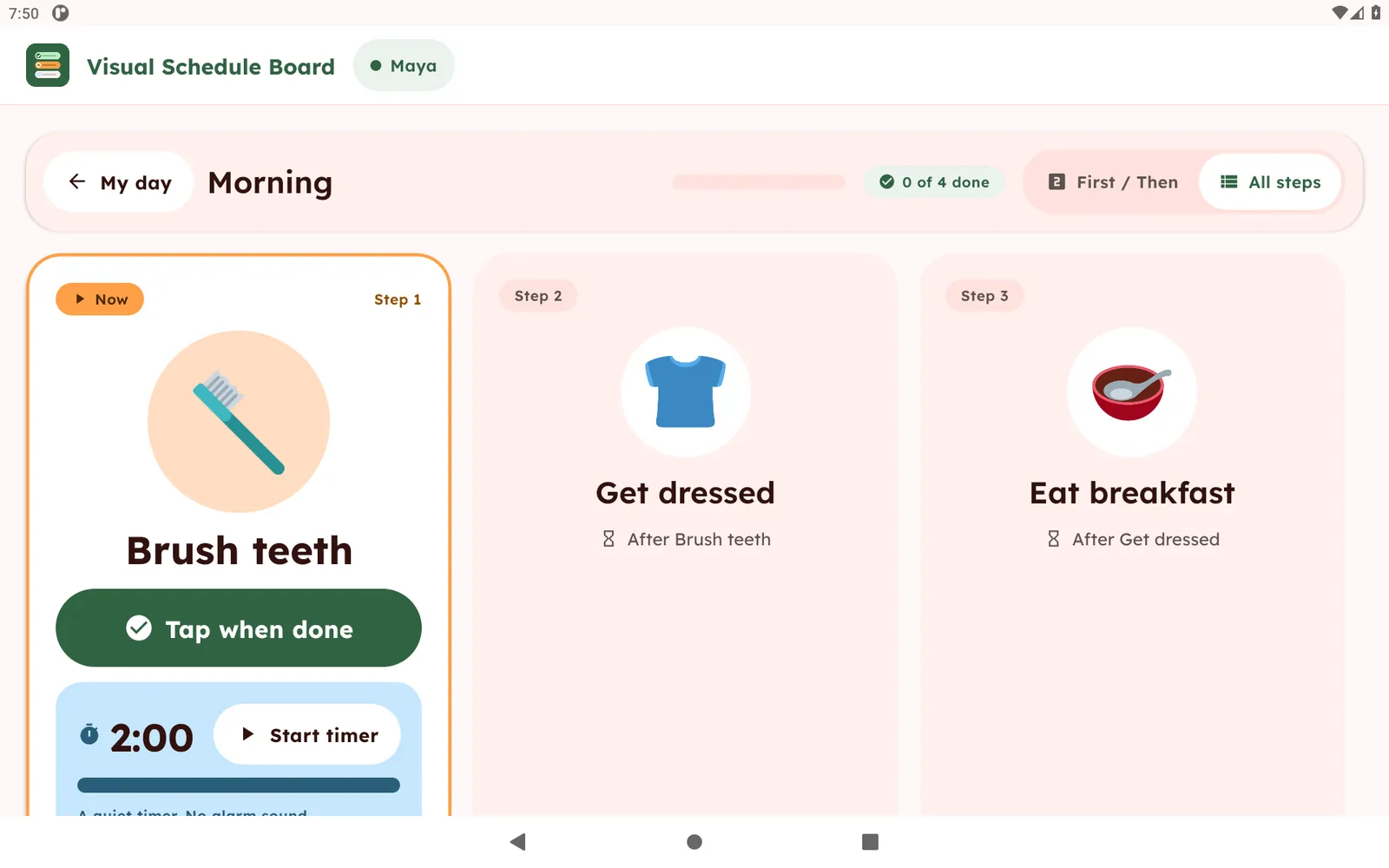
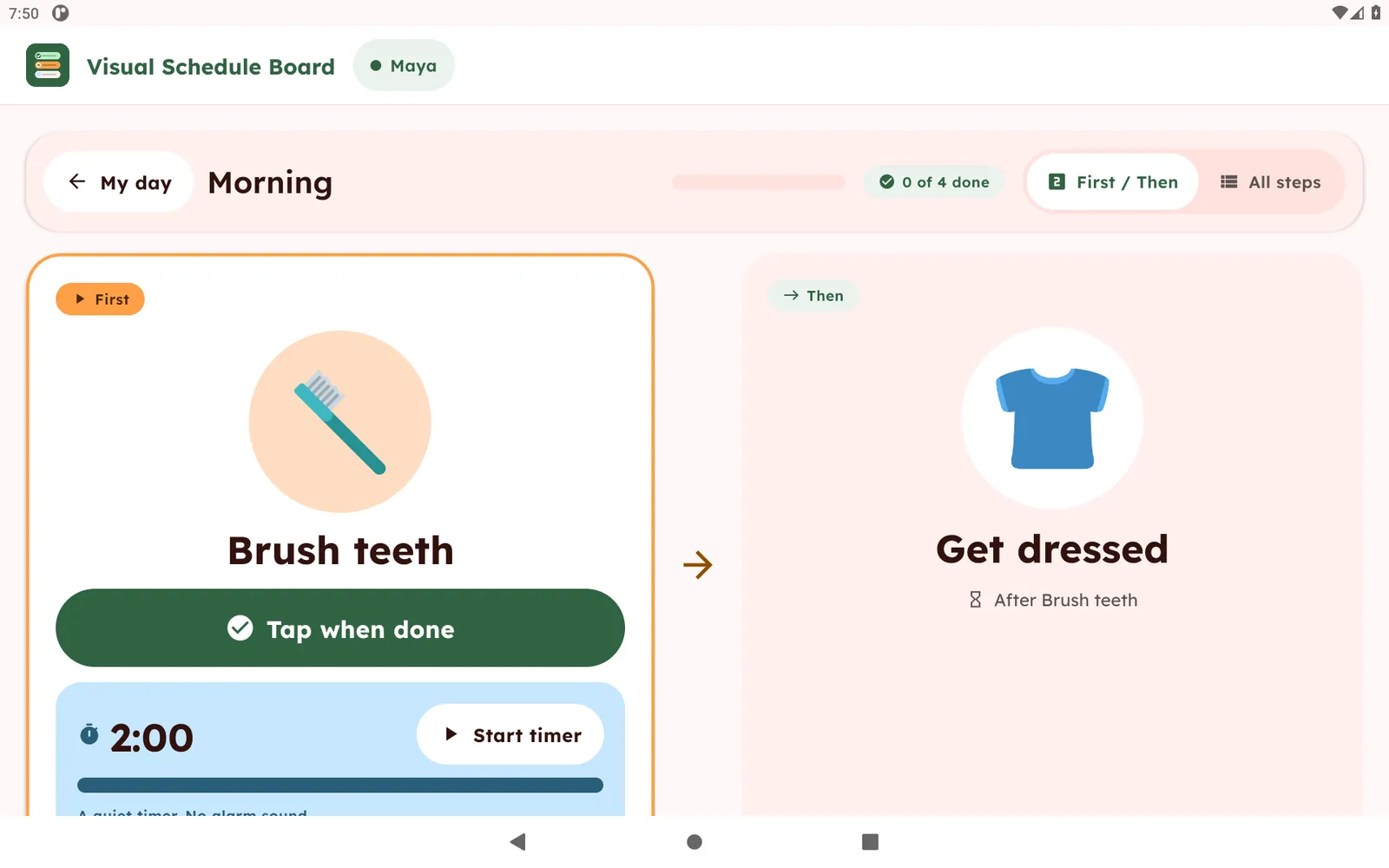
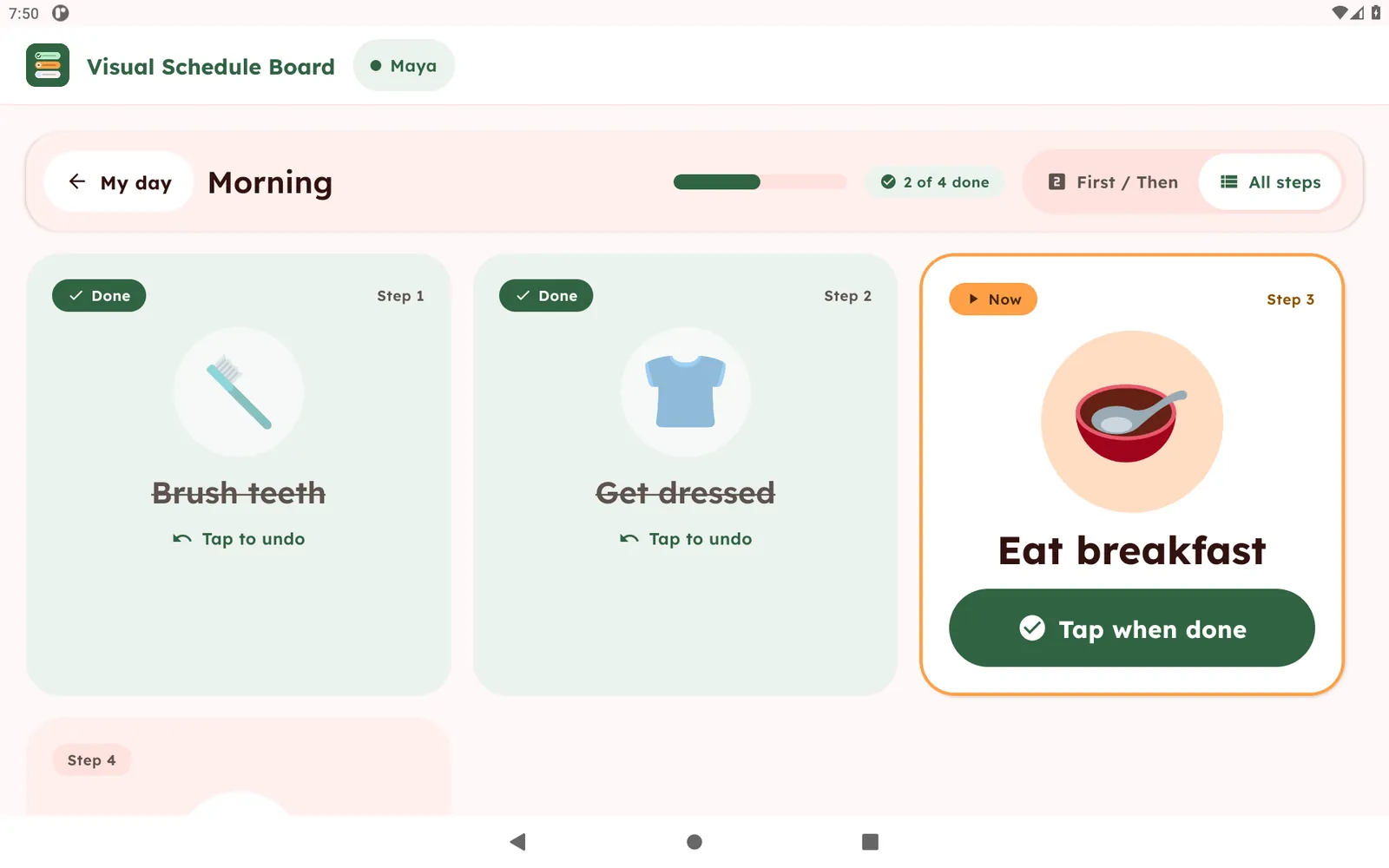
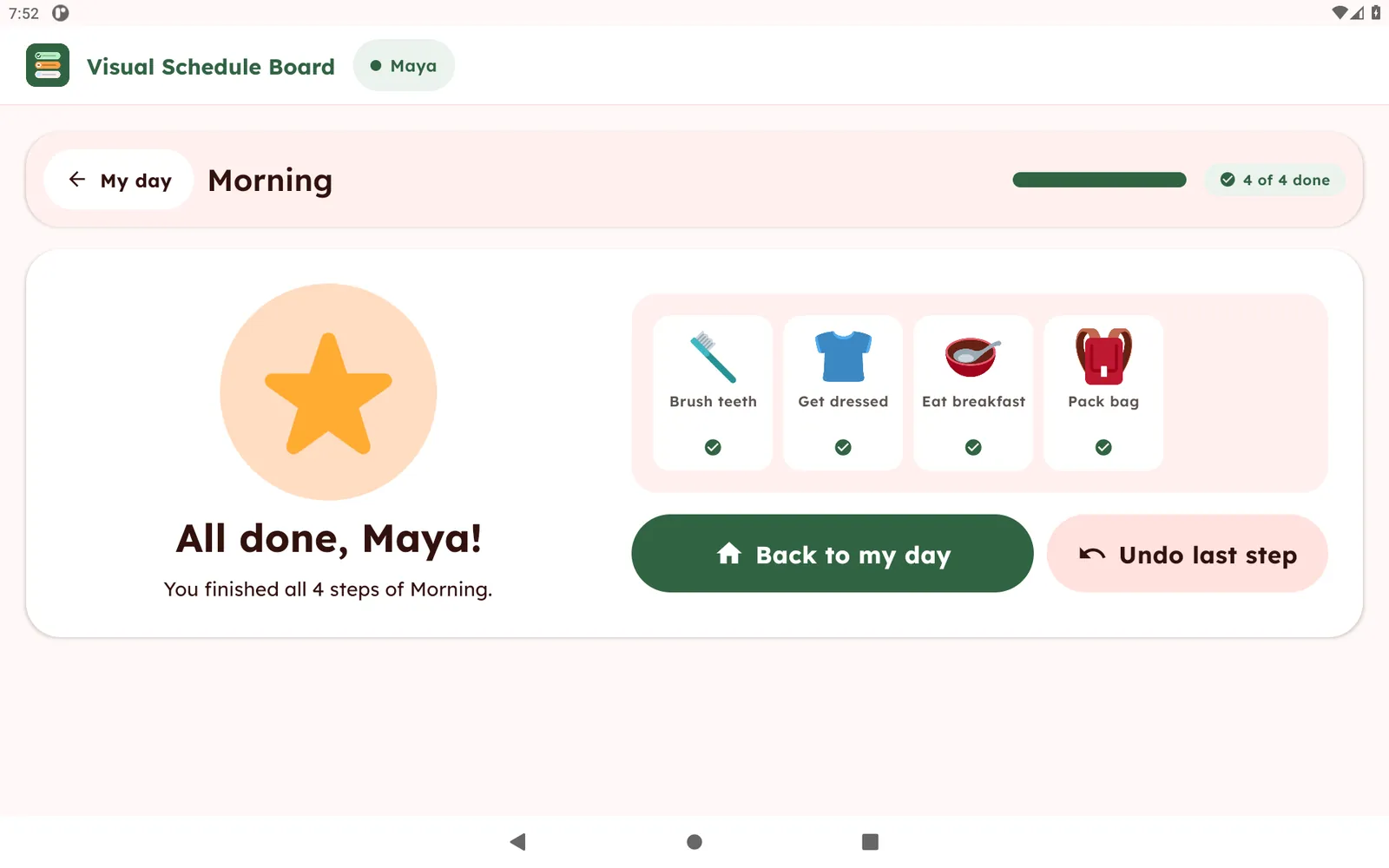
A large card shows the current step. First / Then view shows just what to do now and what comes next. Tap a finished step to mark it done, tap again to undo.
Optional timers and read-aloud
Add a quiet countdown with no alarm sound to any step. Read-aloud uses a voice already installed on the tablet.
A profile per child
Each child gets their own routines. Routines reset every morning.
Adult-only editing
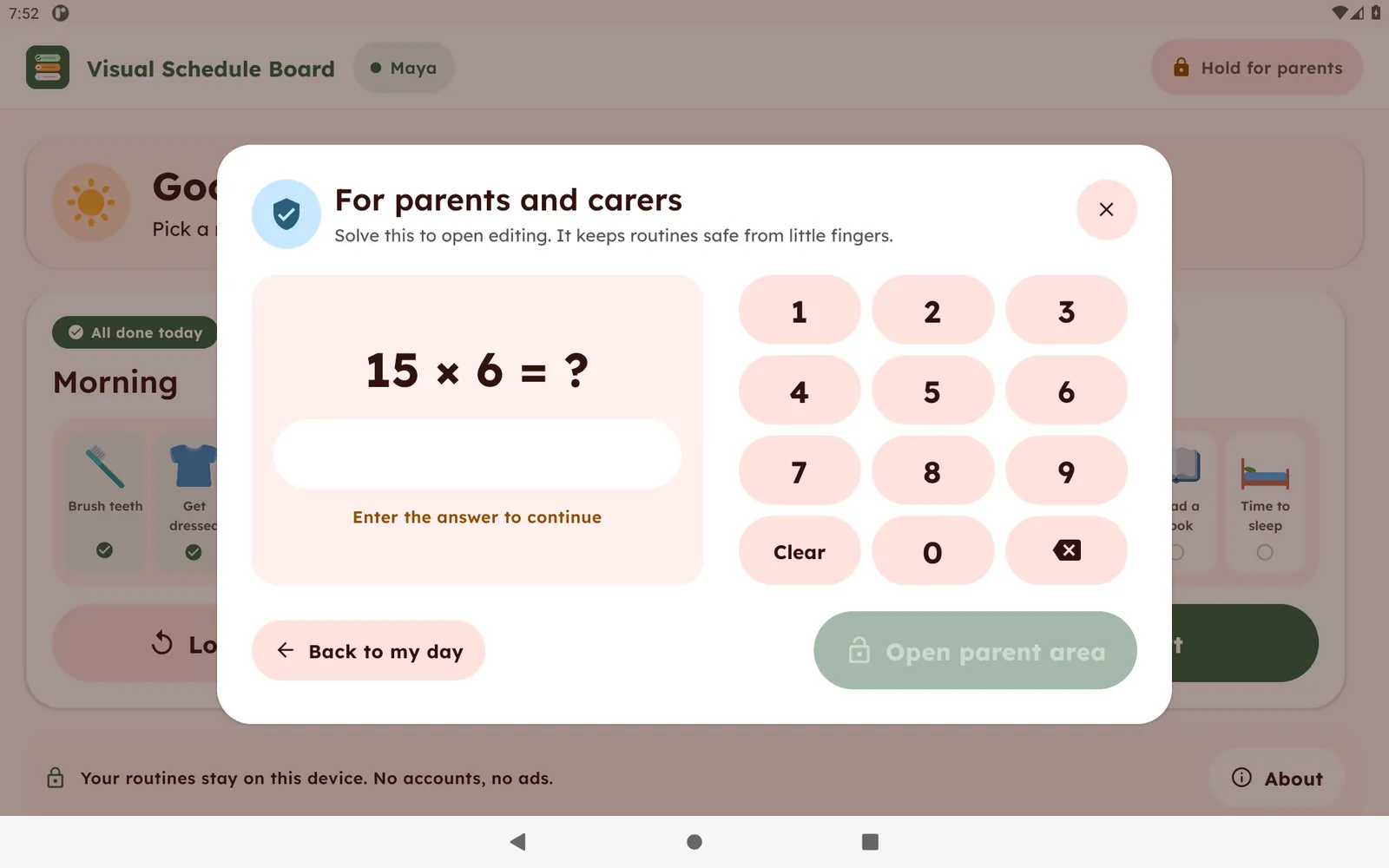
A short multiplication question protects the parent area.
Backup and restore
Export all routines and photos to one file and import it again later.
At home
Build a Morning routine with Brush teeth, Get dressed, Eat breakfast and Pack bag. Start it at the same time each day and let the child tap each step as it is finished.
In the classroom
Create a School routine for arrival, put on shoes and bus ride, or show First / Then for a single transition. Make one profile per child on a shared tablet.
Paper chart or tablet
| Task | Paper chart | Visual Schedule Board |
|---|---|---|
| Change a step | Reprint or redraw | Edit in seconds |
| Use real photos | Print and cut out | Take or pick a photo |
| Mark a step done | Velcro or stickers | One tap, one tap to undo |
| Timer | Separate device | Built-in quiet countdown |
| Several children | A chart each | A profile each |
| Needs internet | No | No |
See the actual app
These are real screens from the app, with a fictional child named Maya. Open any image to see it full size.
Private by design
No ads, no accounts and no analytics. Names, routines and photos stay on the tablet. Read the full privacy policy.
Questions and answers
What is Visual Schedule Board?
Visual Schedule Board is an offline picture-routine app for Amazon Fire tablets. Parents and teachers build step-by-step visual schedules, such as a morning or bedtime routine, from 74 built-in pictures or their own photos, and children follow them one step at a time.
Does it work without internet?
Yes. Routines, pictures and photos are stored on the tablet and the app works fully offline.
Does it need an account, or show ads?
No. There are no accounts, no ads and no analytics.
Is there a subscription?
No. The app is free to start with 1 child profile and 2 routines. A one-time unlock through Amazon adds more children and routines.
Which devices does it run on?
Compatible Amazon Fire tablets. It is not available for Kindle e-readers or for phones.
Can I use my own photos?
Yes. Any step can use a photo from the tablet camera or gallery instead of a built-in picture.
Can children change the routines?
Editing is behind a parent gate, a short multiplication question, so routines are changed by an adult.
Is it a medical or therapy app?
No. It is a routine and organization tool that shows steps as pictures.
Get in touch
Built and supported by Tendercraft. Pictures are Twemoji (CC BY 4.0).