

How to use a First / Then board
A First / Then board shows two pictures side by side: what to do first, and what comes then. It is the smallest visual schedule there is, and the easiest one to start with. This guide explains how to set one up and use it at home or in a classroom.
What a First / Then board is
The board has two spaces. The left one, First, shows the task. The right one, Then, shows what happens when the task is done, such as a snack, a story or outdoor play. Because only two things are on show, a child sees what is expected now and what is coming next without a long list.
Set one up in four steps
- Pick one task. Choose something short and specific, such as brush teeth or put on shoes.
- Pick a Then that the child enjoys. Keep it realistic and something you can give straight away.
- Show the two pictures. Point to First, then to Then. Say it in a few words: first shoes, then park.
- Follow through. When the task is done, move to Then straight away. Reliable follow-through is what makes the board work.
Examples
- At home: First get dressed, then breakfast. First bath, then a book.
- In class: First put away the toys, then circle time. First worksheet, then free choice.
- Out and about: First shoes and coat, then the park.
Using it in Visual Schedule Board
On a Fire tablet, open a routine and switch to First / Then view. The current step appears large on the left, and the next step on the right. Tap the finished step to mark it done, and the board moves on. Tap it again if it was marked by mistake.
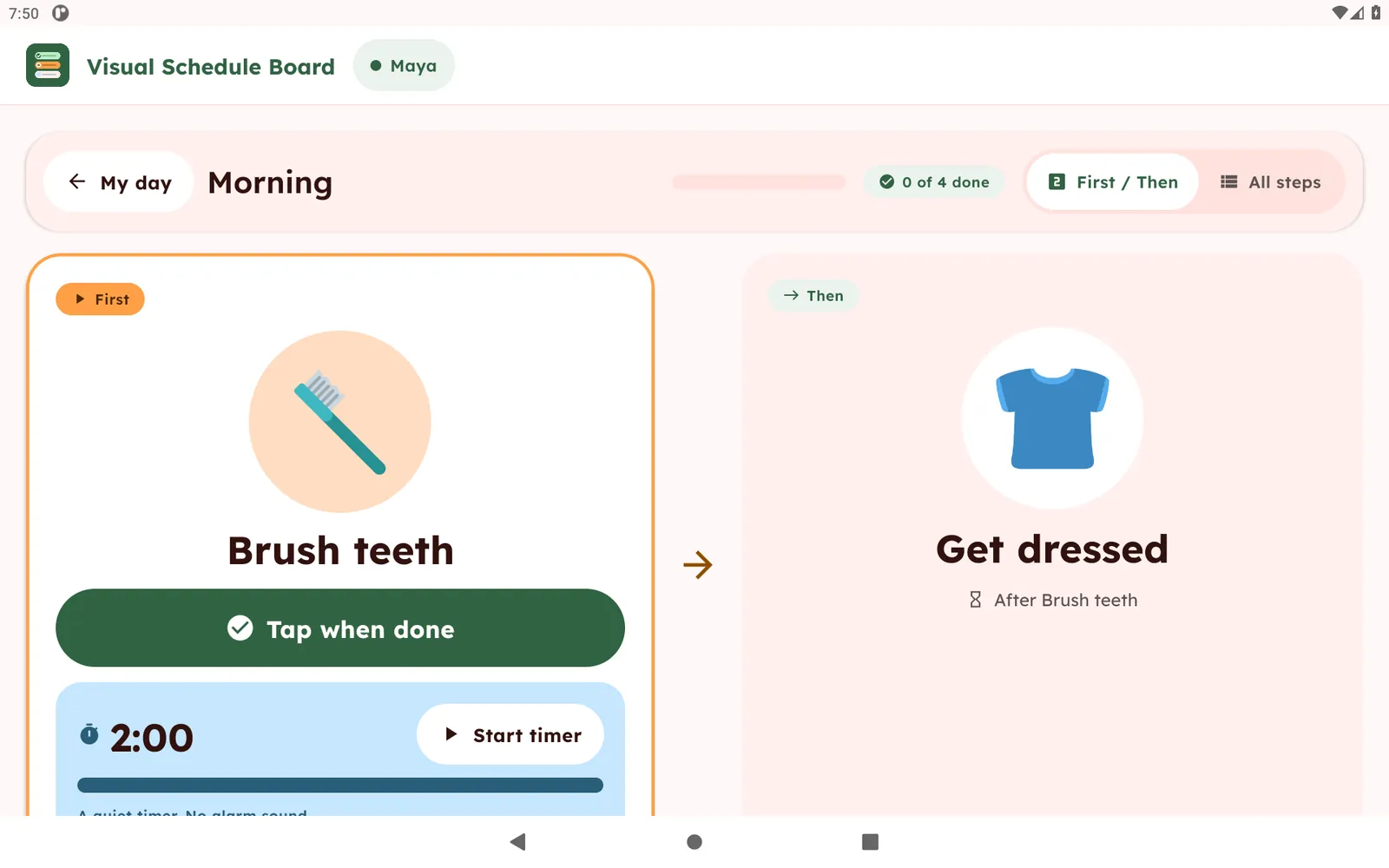
You can build a routine in minutes from 74 built-in pictures or your own photos. See Visual Schedule Board for the full list of features.
Common mistakes
- Putting too many steps on the board. Start with two.
- Choosing a Then that you cannot deliver. Only promise what you will give.
- Changing the order mid-task. Keep it predictable.
- Using it as a punishment. A board is a plan, not a threat.
- Keeping it forever. When a task becomes easy, drop the board for that task or move to a longer routine.
When to move to a longer routine
Once First / Then is going well, try three or four steps in a row, such as a morning routine. You can print a free morning routine chart to start on paper.
Visual Schedule Board is a routine and organization tool. It is not a medical or therapy product. See the app.