

How to choose a crossword app you can read comfortably
“Large print” means different things across apps. Before paying or installing, look closely at the clue, grid, keyboard and navigation screens. A big title alone does not tell you how readable the puzzle will feel.
Inspect a real puzzle screen
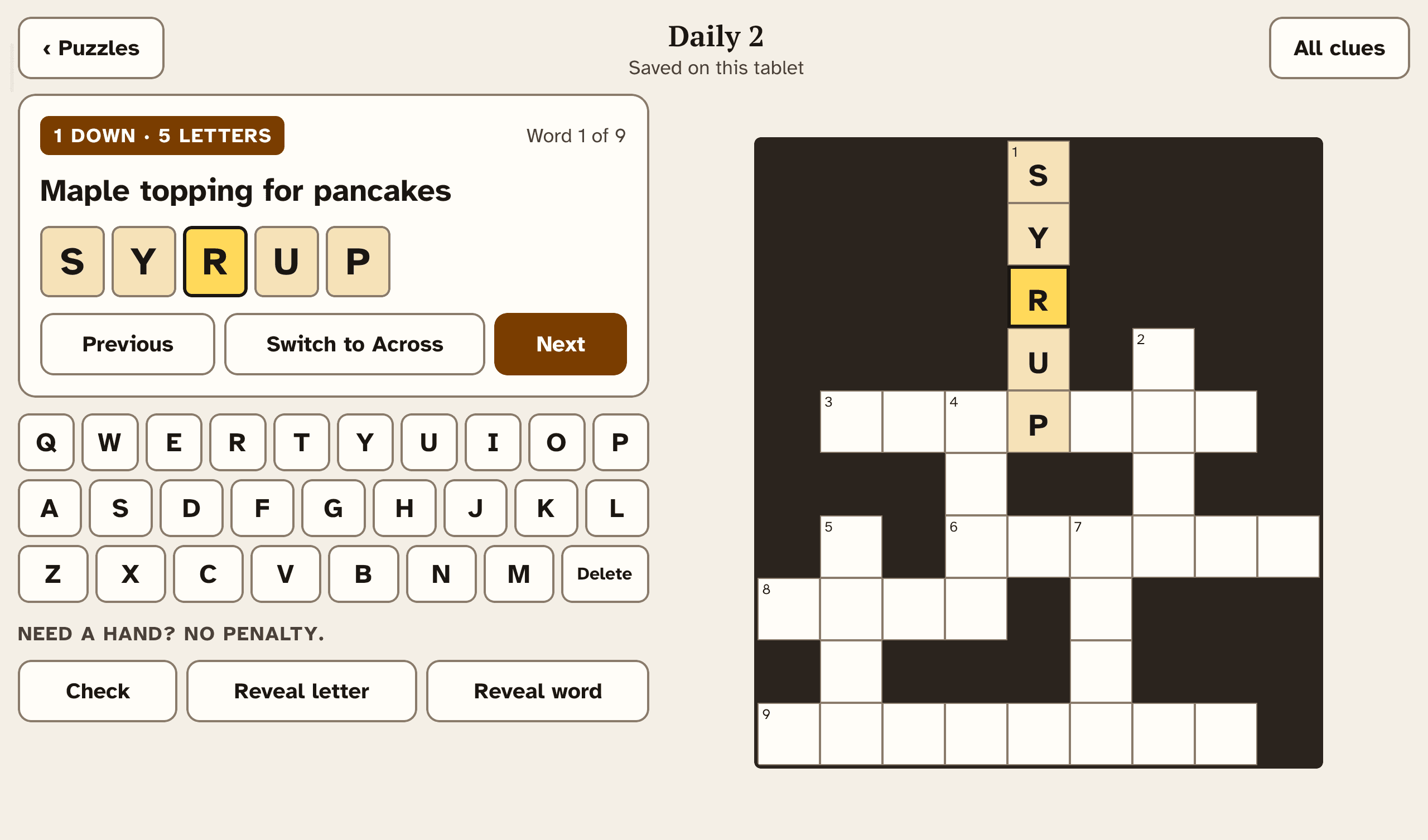
Zoom in on an actual screenshot. Can you read the current clue while seeing the answer cells and keys? Check the smallest labels too: settings, back buttons and help controls. Promotional art is useful for mood, but it does not show the playing experience.
Look for useful display choices
Text size and colour themes can help you find a comfortable setup. Check whether the clue, buttons and on-screen keyboard change together. Large Print Crosswords offers three text sizes and Warm Parchment and Deep Charcoal themes; judge them from the screenshots before assuming they suit you.
Check the kind of puzzles and help offered
Some apps have full newspaper-style grids; others use smaller, quicker crosswords. Large Print Crosswords uses compact grids and includes 150 puzzles in total: 120 in the library and 30 in a repeating daily rotation. It lets you check answers or reveal a letter or word, and has no timer.
Confirm your device and the purchase terms
Fire tablets run apps; Kindle e-readers such as Paperwhite are different devices. Check the store’s device compatibility list and current price before buying. Also check whether the puzzle count includes recurring selections, and whether an app has ads, subscriptions or in-app purchases.
Our Fire-tablet release is still being prepared. See the app screenshots and current status.